


Persona: AI Beauty Editor
4.7582.00 Reviews
App Specs
- Version
- 1.7.57
- Updated On
- License
- Free
- Downloads
- 10,000,000+
- Developer
- TICKET TO THE MOON, INC.
- Categories
- Photography
- Platform
- Android, iOS
Screenshots
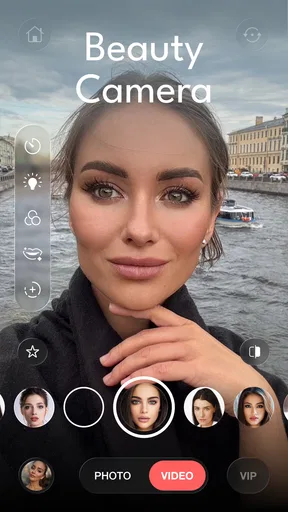
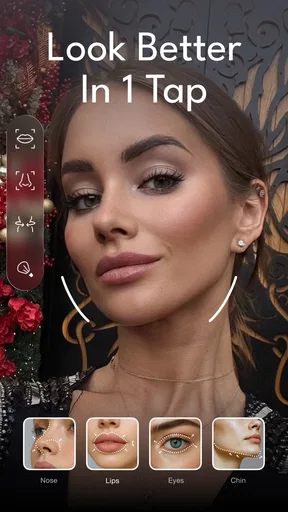
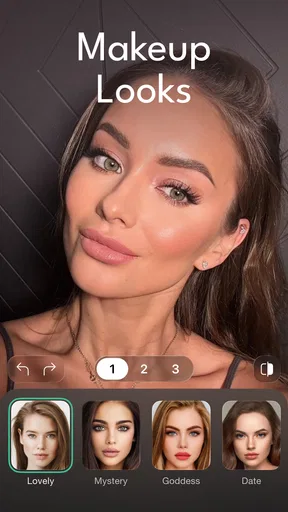
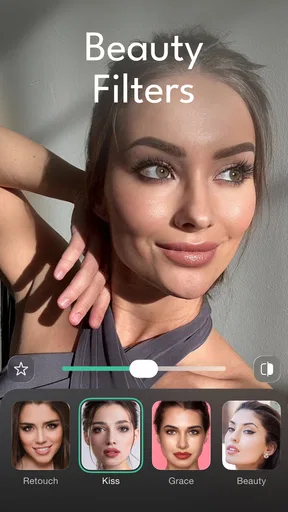
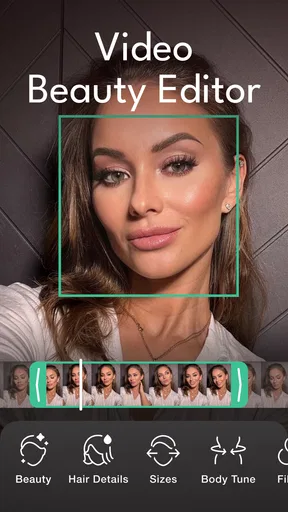
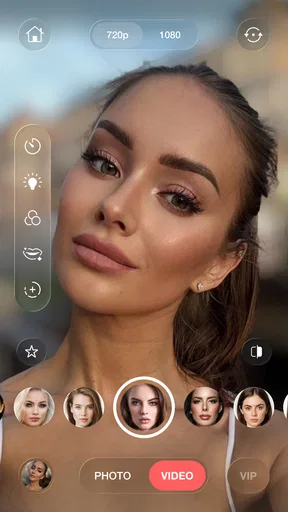
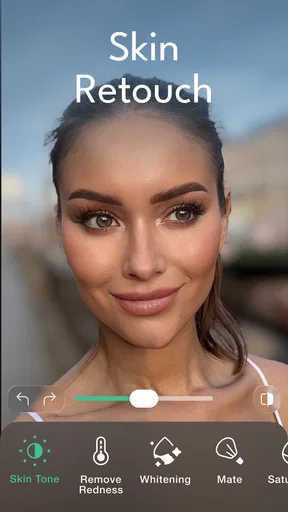
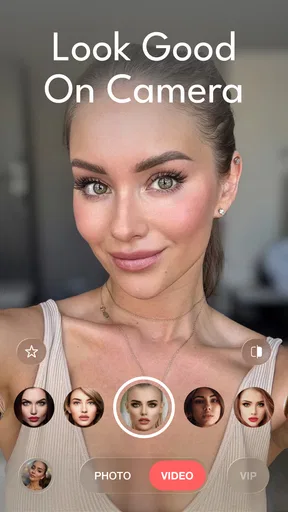
 Analysis by AppCompare
When I’m preparing a portrait for a profile, a family chat, or a quick social post, I want the edit to look like me—not like I’ve stepped into a completely different face. That’s the practical question I bring to Persona: AI Beauty Editor: can it make a selfie feel a little more polished without turning the process into a full editing session? It’s a photography app from TICKET TO THE MOON, INC., and its focus is personal portrait retouching and makeup rather than broad photo editing.
A useful starting point for portraits
The app makes most sense when you already have a clear idea of the photo you want to share. It is not a replacement for a camera workflow, a design tool, or a general editor for landscapes and product shots. I’d reach for it when a portrait needs a small finishing touch: softening a distracting blemish, testing a makeup direction, or making the person stand out a little more from a busy background.
That narrow focus is a strength if you mostly edit selfies. Instead of sorting through tools for color grading, layers, typography, and object removal, you can stay focused on how a face looks. The trade-off is just as clear: if your goal is to retouch an entire scene, correct complex lighting, or build a graphic for a campaign, a more general photography or design app will give you a broader toolkit.
A realistic use case is getting ready to post a profile picture after taking several quick shots indoors. I’d choose the frame with the most natural expression first, then try a restrained skin adjustment and compare it with the untouched version. That order matters: an effect can improve a small distraction, but it cannot rescue an expression or composition you don’t like. Starting with the strongest original photo keeps the app in the role of finishing tool, not photo fixer.
First Impressions: What’s the Hype?
So, I downloaded Persona: AI Beauty Editor out of pure curiosity. With all the buzz about AI and beauty, I thought, “Why not see what this bad boy can do?” Upon opening, you’re greeted with a sleek interface that’s all about simplicity. It’s like the app is whispering, “Don’t worry, I got you.”
Persona is designed to make you look fabulous with just a few taps. It promises to enhance your photos using sophisticated AI technology. The download was quick, and getting started was a breeze. You can jump right in without any fuss, which is always a plus in my book.
Features That Make You Go Wow
Now, let’s talk features. Persona is packed with tools that make you look like you just stepped out of a magazine shoot. The AI technology is pretty impressive, offering real-time enhancements while you’re taking a selfie. This means you can see the magic happen live, and it’s a game-changer.
Worth Reading Before You Choose

Flipboard Shows What News Apps Must Do Beyond the Feed

Switching to Android Auto Means Rethinking Your Driving Routine

Google Calendar Makes a Crowded Week Easier to Manage

Ludo King Makes the Most of the Minutes Between Plans

Baby Panda World Brings Quick Play to Modern Phones, but Its Game Library Feels Busy

ESPN’s Live Game View Makes Following Close Games Easier
- Skin Smoothing: This feature is as gentle as a feather. It smooths out blemishes without making your skin look like plastic.
- Makeup Options: From bold lips to subtle eye shadow, there’s a range of makeup styles to suit any occasion. It’s like having a virtual makeup artist at your disposal.
- Background Blur: You can blur the background to make yourself the star of the show. It gives your photos a professional touch.
Each tool is easy to navigate, and the results are pretty mind-blowing. You don’t have to be a tech wizard to figure things out, which I appreciate.
Making edits without losing the original feel
The most useful way to approach the retouching is to treat each effect as a choice, not a default. I’d make one adjustment at a time, then pause to check whether it still fits the lighting and expression in the source photo. A little smoothing may suit a close-up taken in soft daylight, while the same treatment can look more obvious on a sharply lit image. The goal is not to remove every texture; it is to decide which distractions matter for this particular picture.
Makeup previews are also best judged in context. A look that feels fun on a casual selfie may be too strong for a work profile, and a subtle option can disappear in a small thumbnail. I’d check the image both full-size and at the size people will actually see it. That simple comparison can prevent an edit that looks balanced on the phone screen but reads heavily once shared.
Background blur deserves a similar check. It can help separate a face from visual clutter, but it is not automatically an improvement: if the background helps explain the setting or gives the portrait character, softening it too much removes useful context. I’d use it when the scene competes with the subject, not just because the control is available. For a portrait with fine edges around hair or glasses, inspect those areas before settling on the result.
The User Experience: Easy Peasy Lemon Squeezy
Let’s get into the nitty-gritty of using the app. The overall user experience is smooth. Everything is intuitive, and the app responds quickly. You won’t find yourself waiting around for ages while it processes your photos. The developers seem to have struck a nice balance between functionality and user-friendliness.
One thing I noticed is how much fun it is to experiment with different looks. You can try out new styles without any commitment. If you’re like me and love to play around with makeup but hate the hassle, Persona is your new best friend.
Iteration: compare before committing
Experimenting is most valuable when it helps you make a decision, rather than piling on effects. I’d keep a mental reference of the unedited image and ask one question after each change: does this make the portrait clearer, or merely more processed? If I’m unsure, I’d step back to the lighter treatment. A believable result often comes from stopping earlier than expected.
For a batch of pictures from the same occasion, consistency is another useful check. The same makeup intensity or smoothing level may not suit every frame because expressions, angles, and light vary. I would edit the picture I plan to use most first, then use it as a visual guide—not a rigid template—for the others. That keeps a set from looking like several unrelated presets while still allowing each portrait to retain its own character.
Persona is also easier to recommend for personal experimentation than for tightly controlled professional work. If a creator needs exact, repeatable color values or precise retouching across a large set, a desktop editor or a more manual mobile tool is likely a better fit. Persona’s appeal is the quick, face-centered path; that convenience is less useful when control and uniformity matter more than speed.
Handing off a finished portrait
Before sharing, I’d take a moment to review the image as a whole rather than judging only the face. Check that the blur does not make the setting feel strangely detached, that makeup still suits the intended audience, and that skin retains a natural appearance. This is particularly worthwhile for a profile photo, where the same image may appear small and be seen repeatedly. A restrained edit tends to age better than a dramatic look chosen for a quick first impression.
The app is free to install, with in-app purchases ranging from about fifty cents to around one hundred and ninety-six dollars per item. I’d treat that as a reason to look carefully at any purchase screen before committing, especially if I only need occasional edits. The app is rated for Everyone, has an average rating of 4.8 from around 81,000 ratings, and has over five million installs. Those figures suggest broad interest, but they don’t tell me whether a particular editing style will suit you; the best test is still whether you like the result on your own photos.
Persona is on version 1.7.44 and requires Android 10 or later. It was released on March 31, 2021, so it is not a brand-new arrival, and its large audience gives a prospective user a useful sense that it has found a place among portrait-editing apps. I’d still decide based on the work you need to do: people who want quick beauty-focused adjustments are its natural audience, while someone looking for detailed control over every part of an image should choose a fuller editor.
Ending Thoughts: Is Persona Worth Your Time?
So, is Persona: AI Beauty Editor worth the download? I’d say absolutely. It’s a handy tool for anyone who loves taking selfies or wants to dabble in digital beauty without going overboard. The app delivers on its promises and is a blast to use.
But hey, don’t just take my word for it. Give it a try and see how it transforms your photos. Who knows? It might just become your go-to app for all things beauty. And with its user-friendly interface and powerful features, it’s hard not to fall in love with what Persona has to offer.
So go ahead, download it, and let your creativity run wild. After all, in the world of digital beauty, the possibilities are endless.
Who I’d recommend it to
I’d point a friend toward Persona if they mainly take portraits, enjoy testing makeup looks, and want a quick way to make a selfie feel more finished. It is particularly handy when the choice is between posting a photo as-is and spending a long time learning a complex editor. It is less suited to someone who dislikes beauty filters altogether, needs detailed control over a full image, or wants every portrait to remain strictly documentary in appearance.
For me, the deciding factor is whether the edit still feels like the person in the photo. Used with a light hand, Persona can make a portrait more ready to share without turning editing into a project. If you want broad creative control, pick a more comprehensive editor; if face-focused touch-ups and makeup experiments are what you actually need, this one is an approachable place to start.
Pros
- Easy-to-use interface for quick edits.
- Wide range of beauty tools available.
- Realistic filters enhance photos naturally.
- Supports high-resolution photo exports.
- Regular updates with new features.
Cons
- Some features require in-app purchases.
- Occasional lag on older devices.
- Limited free filters available.
- Ads can be intrusive at times.
- Requires internet for full functionality.
FAQs for Persona: AI Beauty Editor
What is Persona: AI Beauty Editor?
Persona: AI Beauty Editor is an advanced photo editing application designed to enhance your selfies and portraits. It leverages artificial intelligence to provide users with a range of beauty enhancements, including skin smoothing, makeup application, and facial feature adjustments. The app is available for both Android and iOS platforms.
How does Persona: AI Beauty Editor work?
The app uses sophisticated AI algorithms to detect facial features and apply various beauty effects. Users can choose from a variety of filters, makeup styles, and enhancement options to achieve their desired look. The AI ensures that changes appear natural and personalized according to each user’s unique facial structure.
Is Persona: AI Beauty Editor free to use?
Persona: AI Beauty Editor offers a free version with basic editing features. However, to unlock advanced tools and filters, users may need to purchase a subscription or make in-app purchases. This premium access provides a more comprehensive editing experience, catering to users looking for professional-level results.
Are my photos safe with Persona: AI Beauty Editor?
Yes, Persona: AI Beauty Editor prioritizes user privacy and security. The app ensures that photos are processed locally on your device whenever possible, reducing the need to upload images to external servers. Users are encouraged to review the app's privacy policy to understand how their data is handled and stored.
What devices support Persona: AI Beauty Editor?
Persona: AI Beauty Editor is compatible with a wide range of devices. It requires Android 6.0 or iOS 12.0 and later versions. This broad compatibility ensures that users with both older and newer devices can enjoy the app’s features without performance issues. Check the app store for specific device compatibility details.


